Advanced Support Design: Organic vs Tree vs Custom Overhangs
Choosing the Right Support Strategy for Overhangs
Pick the wrong support method and you’ll spend your evening scraping, sanding, and gluing broken fingers back onto a miniature. Pick the right one and the print pretty much falls off the plate clean. This guide walks through organic (tree) supports, traditional tree supports, and fully custom manual supports: when each one wins, how they actually behave on real geometry, and how to dial them in for a decent surface finish without burning through a spool of filament on supports you didn’t need.
Why Overhang Strategy Matters
Past roughly 45-50°, most overhangs need support unless you can reorient the part to dodge the problem. But “needs support” doesn’t mean “needs the same kind of support.” A few examples:
- Isolated islands, floating details with nothing connecting them below, need targeted, precise support right under the island.
- Large flat overhangs (think helmet visors, enclosure lids) need broad, load-bearing coverage, not a handful of toothpicks.
- Organic or sculptural shapes (figurines, branching models, anything with flowing hair or wings) need supports that hug the natural contours without leaving ugly witness marks on surfaces people will actually look at.
Get the method wrong and you pay for it three times over: wasted filament, longer print time, and a real chance of tearing off a delicate detail during removal.
Organic Supports
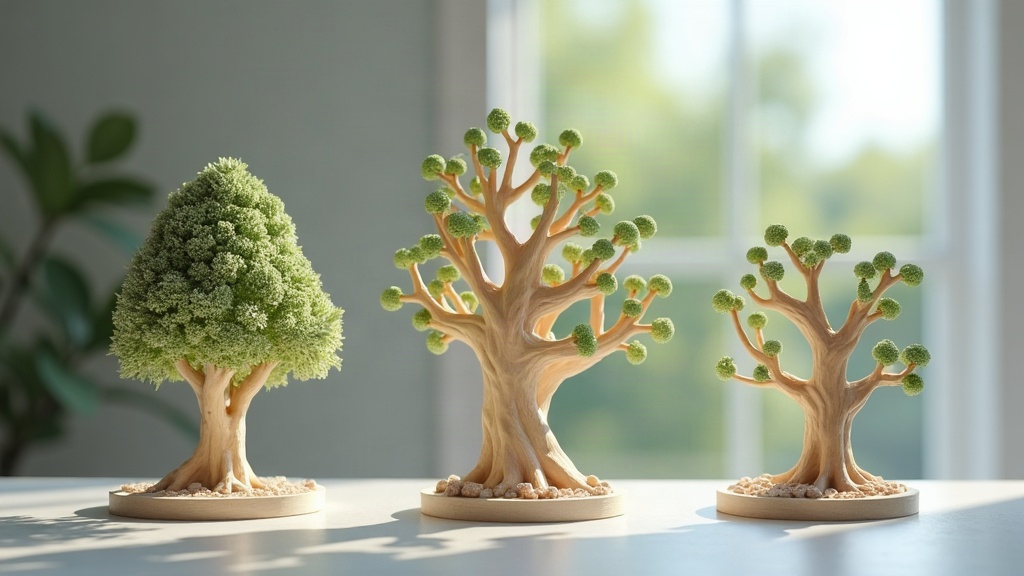
Organic supports, the branching, tree-like kind popularized by Cura, PrusaSlicer, and Bambu Studio, grow out of the model like roots and merge into thicker trunks as they reach the build plate.
Strengths:
- Far fewer contact points than grid supports, which means less scarring on the model’s surface.
- Adapts naturally to curved, irregular shapes. This is why it’s the go-to for miniatures, statues, and character models.
- Removes fast. Branches often snap off with a flick of the thumb, no pliers required.
- Lighter on material than dense grid or tree structures, since the branches taper instead of filling space.
Weaknesses:
- Not always rigid enough under large flat overhangs. You’ll sometimes see a slight sag across a wide horizontal section.
- Tip distance and density need real tuning. Too sparse and the print fails mid-layer; too dense and you’ve erased the material savings that made organic supports worth using in the first place.
Best for: Figurines, cosplay props, organic sculptures, and anything riddled with small overhanging details like hands, hair, or wings.
Tree Supports
Tree supports are really the parent category organic supports grew out of: branching structures with a defined trunk diameter, branch angle, and tip size, but built in a more engineered, geometric way than the “organic” flavor.
Strengths:
- Solid trunk-to-branch connections that shrug off vibration and layer shifts better than a looser organic network.
- You can set the branch angle to steer around obstacles, like dodging another part of the print, without a collision.
- A reasonable middle ground: not as material-hungry as full grid supports, but sturdier than pure organic trees.
Weaknesses:
- If the tip size isn’t dialed in, you’ll end up with bigger touchpoint scars than true organic supports leave behind.
- On tall prints, a dense tree network can wobble if the print speed is too aggressive for the trunk thickness.
Best for: Mechanical parts with angled overhangs, functional prototypes, and prints that mix flat sections with curved overhang zones.
Custom (Manual) Supports
This is the no-shortcuts option: you place every support yourself, using PrusaSlicer’s support painting, Meshmixer, or a resin-focused tool like Chitubox. Nothing gets generated automatically; you decide exactly where material goes.
Strengths:
- Full control. Supports go only where the geometry actually needs them, nowhere else.
- You can mix types freely, say, organic branches under fine details and chunky block supports under a heavy overhang on the same model.
- Often the only realistic way to bridge a large gap, support an internal cavity, or protect a critical dimensional surface that can’t have a single blemish.
Weaknesses:
- Slow. It takes real experience to look at a model and predict exactly where it’ll fail.
- Miss one problem spot and that area will sag, warp, or snap clean off during printing.
Best for: Engineering parts with tight tolerances, large-scale prints, resin prints with intricate internal geometry, and any model where the slicer’s auto-generator keeps getting it wrong no matter how you tweak the settings.
Practical Comparison Table
| Method | Material Use | Surface Finish | Setup Time | Best Use Case |
|---|---|---|---|---|
| Organic | Low | Excellent | Low | Figurines, organic shapes |
| Tree | Medium | Good | Medium | Mixed geometry, functional parts |
| Custom | Variable | Best (if done well) | High | Precision engineering, resin |
Tuning Tips for Better Results
- Tip diameter: Drop it to 0.2-0.4mm to cut down on scarring. Print time ticks up a bit, but it’s usually worth it.
- Branch angle: Stay under 40° if you want stability on tall support trees. Push past that and tall branches start leaning.
- Interface layers: Turn on a support interface, even a thin one. It makes peeling supports off far easier and leaves a smoother underside.
- Combine methods: A lot of experienced users just enable tree supports globally, look at the slicer preview, then manually paint in extra custom supports wherever they spot a gap the algorithm missed.
- Orientation first: Before you add a single support, try tilting the model 15-30°. It’s amazing how often that one move wipes out 80% of the supports you thought you needed.
Conclusion
There’s no single “best” support type here, it really comes down to the geometry in front of you, the material, and how much post-processing time you’re willing to trade for a cleaner surface. Organic supports shine on sculptural models, tree supports strike a nice balance of strength and economy on mixed geometry, and custom supports are still the only real answer for precision or structurally demanding parts. A good habit: start with your slicer’s automatic organic or tree generator, scrutinize the preview layer by layer, then fill in the gaps by hand. That hybrid approach gives you the cleanest result with the least filament wasted on supports you never needed.