3D Printing Replacement Gears for Vintage Cassette Decks: Tolerances
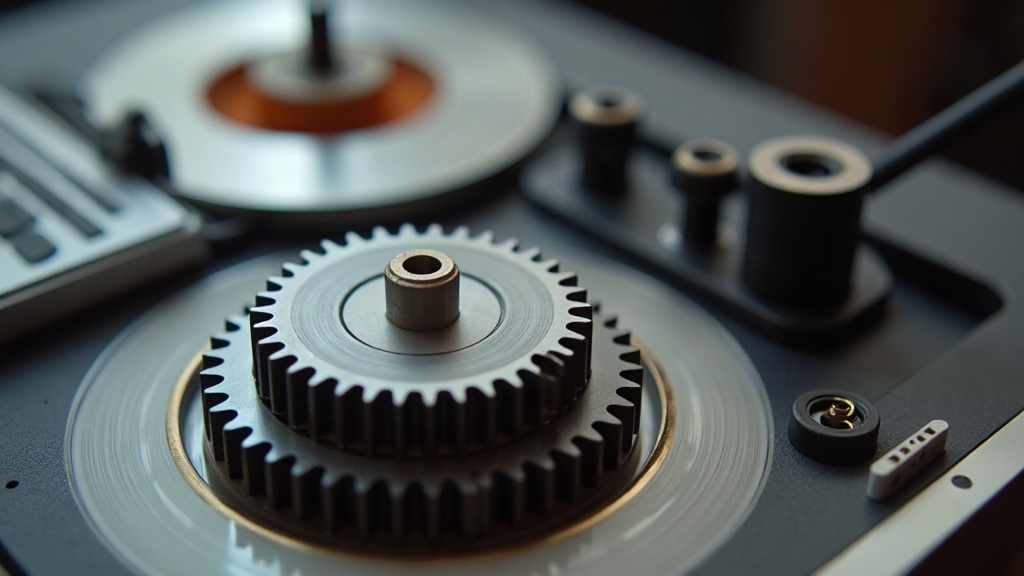
Vintage Cassette Deck Gear Repair: Getting the Tooth Profile Right
Vintage cassette decks tend to fail in one predictable spot: the plastic gears. Idler wheels crack, transport gears split down the middle, and teeth shear clean off after forty years of hardening. A 3D-printed replacement can bring a beloved deck back from the dead, but only if you nail two things: the tooth profile and the tolerances. Miss either one and you’ll get flutter, wow, or a gear that just jams solid. Below is what to measure, how to model the teeth properly, and how to dial in your printer so the new gear meshes as cleanly as the one it replaces.
Why Cassette Deck Gears Fail
Most transport gears were molded from ABS or acetal (Delrin) sometime in the 1970s or 1980s. Give plastic that much time and a few things happen:
- Embrittlement - plasticizers slowly evaporate out of the material, and what’s left goes brittle and cracks under any real load.
- Stress cracking - press-fit hubs and set screws leave tiny micro-cracks behind, and those cracks creep outward year after year until the gear finally splits.
- Idler tire failure - the rubber tire glazes over or turns to goo, and the gear hiding behind it wears unevenly as a result.
- Tooth wear - one skipped engagement chews up a single tooth flank, and from there it cascades to the next tooth, then the next.
Here’s the upside: cassette transport gears are small, lightly loaded, and spin at modest speeds. That makes them great candidates for a home printer, as long as you get the geometry right.
Understanding Tooth Profiles: Module vs. Diametral Pitch
The one measurement that matters more than any other is the module (metric) or diametral pitch (imperial). These numbers define tooth size, and confusing the two is a guaranteed jam.
For a standard spur gear, you can back into the module from the outer diameter (OD) and tooth count (N):
module (m) = OD ÷ (N + 2)
Example: a 16-tooth gear with an 18 mm OD gives you 18 ÷ 18 = 1.0 mm module. A 20-tooth gear with a 22 mm OD works out to the same module, 1.0, which means the two will mesh together just fine.
While you’re at it, check the pressure angle too. In cassette decks it’s almost always 20°, though some older or imported units use 14.5°. Compare against a known-good gear or a printed gauge before you commit to a model.
Involute Is What You Want
Don’t model the teeth as triangles or trapezoids, no matter how tempting that shortcut looks in CAD. Real gear teeth follow an involute curve, which is what keeps the contact point rolling smoothly and holds the velocity ratio constant as the gears turn. Trapezoidal teeth bind, whine, and wear fast. Use one of these instead to generate a true involute:
- Fusion 360 - the built-in Spur Gear add-in generates involute profiles straight from module and tooth count.
- FreeCAD - the Gear workbench handles module, pressure angle, and backlash in one place.
- Online generators - plenty of free tools will spit out a DXF or SVG you can extrude into a solid.
Measuring the Original Gear Accurately
Grab a set of calipers and capture these dimensions before you open any CAD software:
- Outer diameter (OD) - measure tip to tip across two opposite teeth.
- Tooth count (N) - mark one tooth with a pen and count the rest going around.
- Bore diameter - the shaft hole, typically 1.5 mm, 2 mm, 2.5 mm, or 3 mm.
- Hub and boss - the raised collar, its height, and whether there’s a keyway or flat spot.
- Face width - how thick the gear body is.
- Center distance - the gap between shaft centers on meshing gears, which doubles as a check on your module calculation.
If the original gear is too far gone to measure directly, count the teeth on whatever it meshes with and use the center distance to work the module backward.
Tolerances That Make or Break a Repair
Small gears want tight tolerances, but “tight” on a home printer means something quite specific. Here’s what to aim for:
- Backlash (gap between meshing teeth): 0.05-0.15 mm. Too tight and the motor binds or stalls; too loose and you’ll hear it as flutter.
- Bore fit: print the hole 0.1-0.2 mm undersized, then ream it out or press-fit to the shaft. A sloppy bore is the number one cause of wow and flutter, more than any other single factor.
- Layer height: 0.1 mm or finer on FDM. Ridges left on the tooth flanks add friction, and finer layers mean a smoother mesh.
- Tooth width: FDM nozzles start struggling below module 0.5. For anything in the 0.3-0.5 range, move to a resin (SLA/MSLA) printer, which holds fine detail much better than a filament machine.
FDM vs. Resin for Small Gears
| Factor | FDM | Resin |
|---|---|---|
| Smallest practical module | ~0.5 | ~0.2 |
| Surface finish on flanks | Layer ridges | Near-smooth |
| Material toughness | Nylon, PETG, ABS | Engineering resins |
| Best use | Idler gears, larger transport gears | Tiny capstan/pinch gears |
Materials and Print Settings
Pick a material that shrugs off creep and wear:
- Nylon (PA) - the best all-around choice for gears. Tough, self-lubricating, low friction.
- PETG - friendlier to print than nylon, good dimensional stability, wears acceptably well.
- ABS/ASA - close to what many original gears were made from, but it shrinks more in the mold, so scale the model up about 0.5-1% to compensate.
- Engineering resin - reserve this for the smallest, most detailed gears.
For FDM prints, go with 100% infill, 4-6 perimeters, and orient the gear flat on the bed with the bore axis pointing straight up. That keeps the teeth crisp and avoids leaving support scars on the flanks. Once assembled, dab on a bit of PTFE or silicone grease and run it before calling the job done.
Real-World Example: An Idler Wheel Rebuild
A repair that comes up constantly is the Nakamichi-style idler wheel, where the rubber tire has turned to something resembling melted candy. Print a fresh hub gear in nylon at module 1.0 with 0.1 mm backlash, press a new O-ring or silicone tire over the rim, and more often than not the transport plays like it did the day it left the factory. The gap between “works great” and “eats every tape you feed it” often comes down to a tenth of a millimeter in bore fit and whether you bothered to generate a proper involute.
Conclusion
3D printing is a genuinely practical way to save a vintage cassette deck, but it only works if you approach it like precision machining rather than a quick hack. Measure the original with calipers, work out the module, confirm the 20° pressure angle, model a true involute tooth, and hold your bore and backlash numbers tight. Do all of that and a forty-year-old deck can go right on spinning tapes for another forty.