Stringing vs Oozing: How to Tell Them Apart and Fix Each
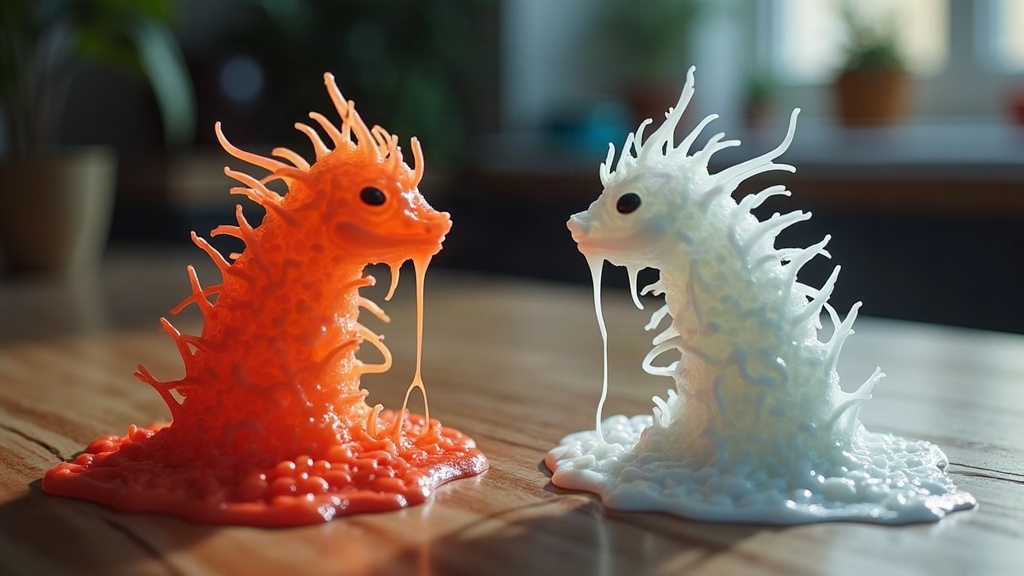
If your prints come out covered in thin hairy strands or blobby dots, you’re dealing with either stringing or oozing. They’re related, but the root causes and fixes aren’t the same. Stringing happens during travel moves between print points, oozing happens when the nozzle sits still (or keeps extruding when it really shouldn’t). Figuring out which one you’ve got is step one to actually fixing it, instead of just guessing at slicer settings for the next three hours.
What Stringing Looks Like
Stringing shows up as thin, hair-like strands of plastic stretched between two points on your model. You’ll usually spot it right after the print finishes, especially on parts with multiple islands or gaps: think text with separated letters, lattice patterns, or two towers printed side by side.
Key signs it’s stringing:
- Fine, web-like threads connecting separate features
- Strands thinnest in the middle, thicker where they anchor
- Worse on prints with lots of travel moves over open air
- More common with PLA, TPU, and other low-viscosity filaments
Why Stringing Happens
Stringing happens when melted filament leaks out of the nozzle during a travel move, the moment the print head shifts position without extruding anything. A few usual suspects:
- Retraction distance too low. Not enough filament gets pulled back to relieve pressure in the nozzle.
- Retraction speed too slow. The filament doesn’t retract fast enough before the head moves away.
- Nozzle temperature too high. The filament turns runny and drips at the slightest excuse.
- Wet filament. Trapped moisture flashes to steam and pushes material out in unpredictable little bursts.
- Travel speed too slow. More time in transit means more time for a string to form.
What Oozing Looks Like
Oozing is a different animal. It’s excess material leaking out even when the nozzle isn’t actively printing a feature, and it usually leaves blobs, zits, or a fuzzy, hairy texture right on the surface rather than stretched between two points like stringing does.
Key signs it’s oozing:
- Small blobs or bumps on the surface, especially near seams
- Extra material at the start or end of a print, or right after a pause
- A fuzzy texture on vertical walls instead of clean strings
- Shows up even on solid, single-island prints with almost no travel moves
Why Oozing Happens
Oozing is mostly about pressure and heat management right at the nozzle tip:
- Nozzle temperature too high for the filament, causing constant seepage instead of controlled extrusion
- Poor pressure advance / linear advance tuning, so pressure builds and releases unevenly
- Coasting disabled, meaning the extruder keeps pushing filament all the way to the end of a line
- Worn or damaged nozzle (a chewed-up tip drips a lot more than a clean one)
- Idle time at temperature, sitting hot too long between moves, say during a tool change on a multi-material print
Fixing Stringing: Step-by-Step
- Increase retraction distance. Start around 0.5-1mm for direct drive, 4-6mm for Bowden setups.
- Increase retraction speed. Try 25-45mm/s and nudge it up or down in small steps.
- Lower nozzle temperature. Drop it in 5°C increments until the strings disappear, but stop before you tip into under-extrusion.
- Dry your filament. A dedicated dryer works best, but an oven on low heat does the job too (PLA: roughly 45°C for 4-6 hours).
- Turn on “combing” or “avoid crossing perimeters” in your slicer so travel moves skip over open gaps whenever possible.
- Increase travel speed to cut down the time the nozzle spends oozing between points.
Fixing Oozing: Step-by-Step
- Calibrate temperature properly. Run a temperature tower and find the actual sweet spot for your specific filament, not just the manufacturer’s printed range.
- Enable and tune coasting. This cuts extrusion a hair before the end of a line, letting residual pressure finish it off cleanly.
- Tune pressure advance / linear advance. It’s a firmware feature (Klipper, Marlin) that compensates for pressure buildup in the melt zone before it turns into a blob.
- Inspect and replace worn nozzles. If a nozzle’s clocked 500+ hours and shows visible wear, swap it. It’s a five-dollar part, not worth the headache.
- Cut down idle-at-temperature time. Lower the standby temperature during multi-material pauses or long idle stretches so the nozzle isn’t just sitting there dripping.
Quick Comparison Table
| Symptom | Stringing | Oozing |
|---|---|---|
| Location | Between separate features | On the print surface directly |
| Cause | Travel moves, poor retraction | Pressure/heat management |
| Fix focus | Retraction settings, temp | Coasting, pressure advance, temp |
| Filament type | Common with PLA, TPU | Common with all types if overheated |
Conclusion
Stringing and oozing both come from filament flow that isn’t under control, but they look different on the print and need different fixes. Thin webs stretched between islands? Focus on retraction tuning and get your filament properly dry. Blobs and fuzz sitting right on the surface? Check your temperature calibration, coasting settings, and pressure advance instead. Print a few small temperature and retraction tests before you commit to a full-size model, it only takes a few minutes and it’ll save you hours of cleanup (and a fair bit of swearing) later.