Designing Snap-Fit Enclosures for DIY Electronics Projects
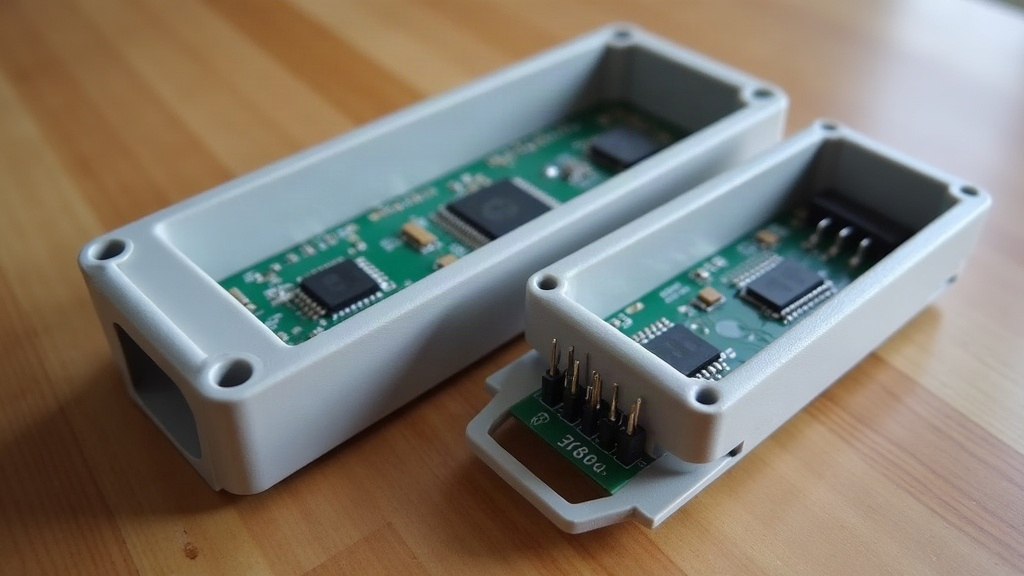
Designing a snap-fit enclosure for a DIY electronics project means building a case that opens and closes without screws, glue, or extra hardware, just two parts that click together and stay put. This guide covers the geometry, materials, and printing tweaks that make snap-fits actually reliable, so your next Arduino, Raspberry Pi, or sensor project looks like a finished product instead of something held together with tape.
Why Choose Snap-Fit Over Screws
Snap-fit joints are popular in DIY electronics, and for good reason:
- No extra hardware. Fewer parts to lose in a drawer or order from three different suppliers.
- Faster assembly. Press two halves together and you’re done, no screwdriver required.
- Cleaner aesthetics. No visible screw heads staring back at you.
- Repeated access. A well-designed snap can be opened and closed hundreds of times without wearing out.
The tradeoff? Snap-fits demand more precise design work upfront than a basic screw-boss enclosure. Get the geometry even slightly wrong and you end up with a case that either refuses to close or pops apart the moment you pick it up off the desk.
Core Types of Snap-Fit Joints
Most DIY enclosures rely on one of three snap styles.
1. Cantilever Snaps
A flexible arm with a hook at the end catches a matching ledge on the opposite part. This is the workhorse of electronics enclosures: easy to print, forgiving to design, and it gives that satisfying “click” when the two halves come together.
2. Torsional Snaps
Here the arm twists instead of bends. More durable for high-cycle use, but genuinely tricky to get right without CAD simulation. Honestly, for a hobby project, this is usually overkill.
3. Annular (Cylindrical) Snaps
These show up on round enclosures or caps, think of a lid snapping onto a tube. Common in battery compartments or cylindrical sensor housings, where a flat cantilever arm just doesn’t make geometric sense.
For most DIY builds, cantilever snaps hit the sweet spot between simplicity and strength.
Key Design Parameters
Wall Thickness
Keep the snap arm roughly the same thickness as the rest of the enclosure wall, typically 1.5 to 2.5 mm for PLA or PETG. Go thicker and the arm resists breaking but needs real force to flex (your thumbs will know). Go thinner and it flexes easily but can snap clean off after a dozen openings.
Deflection and Allowable Strain
Work out how far the hook needs to deflect to clear the mating edge. A decent rule of thumb for PLA: keep strain under 3 to 4% to avoid fatigue cracking down the line. PETG and nylon tolerate much higher strain, so they’re the better pick if the enclosure is going to be opened and closed on a regular basis, say, for battery swaps.
Hook Angle
- Insertion angle (the ramp side): 30 to 45 degrees lets the arm slide in under moderate, controllable force.
- Retention angle (the catch side): closer to 90 degrees, or even slightly undercut, so the joint doesn’t slip open the first time the case gets bumped.
Arm Length
Longer arms flex more easily and spread out stress at the base instead of concentrating it in one spot. Aim for an arm length at least 8 to 10 times the wall thickness when you have the room for it.
Material Matters
- PLA: Cheap, easy to print, but brittle. Fine for an enclosure you assemble once and never open again.
- PETG: More flexible and impact-resistant, a solid middle ground for snaps that get opened occasionally, think a few times a month.
- Nylon (PA) or TPU inserts: Best choice for high-cycle, flexible applications, though you’ll want a dry filament setup (a sealed box with desiccant, not just an open spool on the shelf), since both materials absorb moisture fast.
Practical Printing Tips
- Print orientation matters, a lot. Snap arms are strongest when the layer lines run perpendicular to the bending direction. Print the arm the wrong way and it’ll delaminate along the layer lines after a handful of flexes.
- Add fillets at the base of every snap arm. Sharp internal corners are, hands down, the number one cause of snap-fit cracking.
- Test-print just the snap joint before committing to a full enclosure print. A 20-minute test print can save you three hours of a failed full build.
- Oversize the clearance slightly (0.1 to 0.2 mm) between mating faces to account for normal 3D printing tolerances. Your printer isn’t as precise as the CAD model, and that’s fine as long as you plan for it.
Common Mistakes to Avoid
- Making snap arms too short, which concentrates stress and causes them to snap on the very first use.
- Ignoring print orientation, which leads to layer-line failure the moment the arm flexes.
- Designing retention angles that are too shallow, so the enclosure pops open under light pressure, or even in a backpack.
- Skipping fillets at stress points, basically inviting a crack to form.
Quick Checklist Before You Print
- Wall and arm thickness consistent and matched to the material.
- Deflection calculated and within safe strain limits.
- Fillets added at the arm base.
- Clearance tolerances built into the mating surfaces.
- Test print of the snap feature alone, before the full enclosure.
Conclusion
A well-designed snap-fit enclosure is what turns a DIY electronics project from “functional but fragile” into something that actually looks and feels finished. The trick is respecting the mechanics: the right wall thickness, correct hook angles, generous fillets, and a material matched to how often the case will realistically be opened. Start with a small test print of just the snap joint, iterate fast, and you’ll end up with a reliable, tool-free enclosure ready for your next build.